From the outside, a flight booking website looks like a search box and a list of fares. Underneath, it is a chain of connected systems, and a weakness in any link causes failed bookings or unhappy customers. If you are planning to build one, understanding these building blocks helps you ask the right questions and set a realistic scope.
1. Supplier connections
Flight content comes from one or more sources:
- GDS such as Amadeus, Sabre and Travelport, which cover hundreds of airlines.
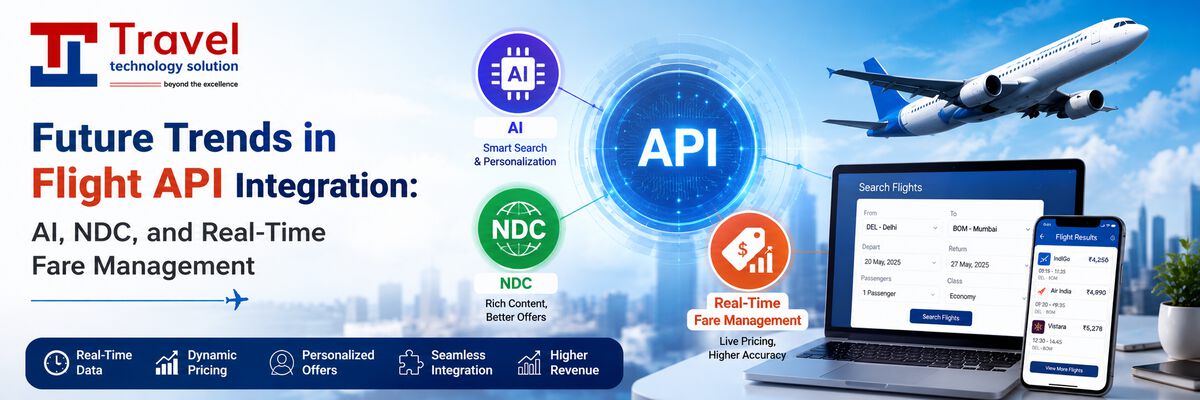
- NDC connections directly with airlines, often with richer fare families and ancillaries.
- Low-cost carrier APIs for airlines that do not sell fully through a GDS.
- Aggregators and consolidators that bundle many sources behind one API.
Each source has its own data format, so the booking engine converts all responses into one common model.
2. Search and results
The search service sends the traveller's request to every relevant supplier in parallel, merges the results, removes duplicates and sorts them. Good engines also cache recent searches to reduce response time and supplier costs, while always re-checking the final price before payment.
3. Pricing and business rules
The fare a supplier returns is rarely the price the traveller sees. The pricing layer applies your business rules:
- Markups or discounts by airline, route, cabin or sales channel.
- Service fees and convenience fees.
- Different prices for B2C customers, agents and corporate clients.
- Promo codes and campaign pricing.
4. Booking and the PNR
When the traveller confirms, the engine creates a booking with the supplier, which returns a PNR (passenger name record). The PNR holds the itinerary, passenger names and contact details. Many fares have a ticketing time limit, so the system must issue the ticket or release the booking before that deadline.
5. Payment
The payment step collects money through a payment gateway, then triggers ticketing only after payment is confirmed. The engine must handle edge cases: payment succeeded but ticketing failed, or payment timed out but the bank later confirms it. Each needs an automatic refund or retry path and an alert for the operations team.
6. Ticketing and documents
Ticketing turns the booking into an e-ticket. The system then sends the itinerary and e-ticket number to the traveller, updates the booking status and records the sale for accounting and reconciliation.
7. After-sales and back office
- Cancellations and refunds according to fare rules.
- Date changes and reissues.
- Reports for sales, supplier payments and markups.
- Reconciliation of bookings against supplier statements.
Questions to settle before development
- Which suppliers will you connect first, and do you already have agreements with them?
- Will you sell B2C, B2B or both?
- Which payment methods and currencies do you need?
- Who handles failed tickets and refunds, and how quickly?
Common mistakes in flight website projects
- Connecting too many suppliers at once. Each supplier needs certification and testing. Starting with one or two and adding more later reduces risk.
- Leaving after-sales for later. Cancellations, refunds and schedule changes arrive from the first week. Build these tools before launch.
- No plan for failed tickets. Payment succeeded but ticketing failed is the most damaging scenario for customer trust. Design the alert and refund path early.
- Underestimating content. Airline logos, airport names, fare rules text and baggage information all need to be accurate and up to date.
Frequently asked questions
Do I need my own airline agreements?
For a GDS or NDC connection you usually need an agreement or accreditation, such as IATA accreditation for ticketing. Many new businesses start with a consolidator API, which handles ticketing on their behalf.
Can I add hotels and holidays later?
Yes. A well-designed booking engine treats each product as a module, so hotels, holidays, bus or transfers can be added without rebuilding the flight flow.
A typical booking, step by step
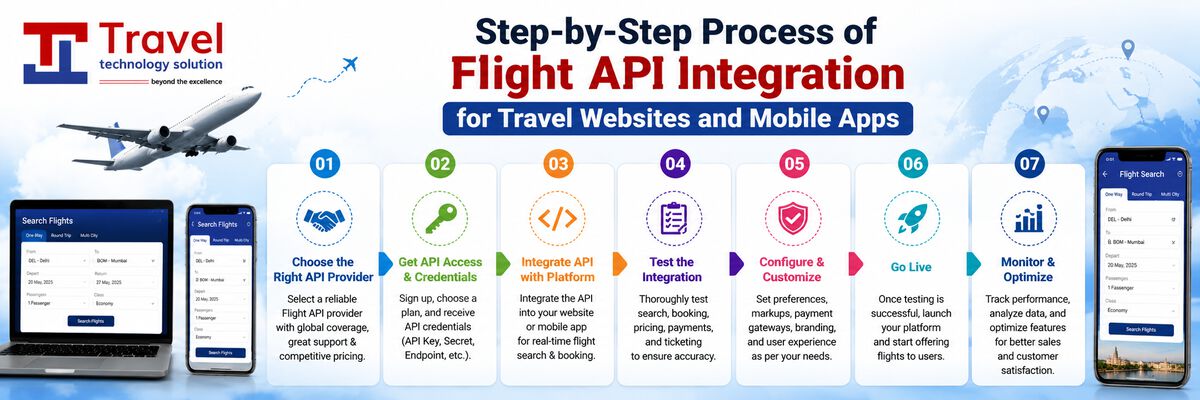
To see how the pieces connect, follow one booking. A traveller searches Delhi to Dubai for next month. The search service queries a GDS and a low-cost carrier API in parallel, merges about two hundred options and applies your markup rules. The traveller picks a flexible fare, enters passport details and selects a seat. Before payment, the engine revalidates the fare, confirms the price is unchanged and creates the PNR. Payment succeeds, the ticket is issued, the e-ticket email is sent and the sale is written to your reports. Every one of these steps is a place where good engineering prevents a support call.
Key takeaways
- A flight booking website is a chain: suppliers, search, pricing, booking, payment, ticketing and after-sales.
- Most problems appear at the joins, such as payment-to-ticketing, so plan those flows carefully.
- Decide suppliers, sales channels and payment methods before development starts.
Ready to scope your project? Explore our flight booking website development service or talk to our team for a detailed plan.